Free Anchor Tool for Adobe After Effects (ScriptUI Panel & CEP Extension)
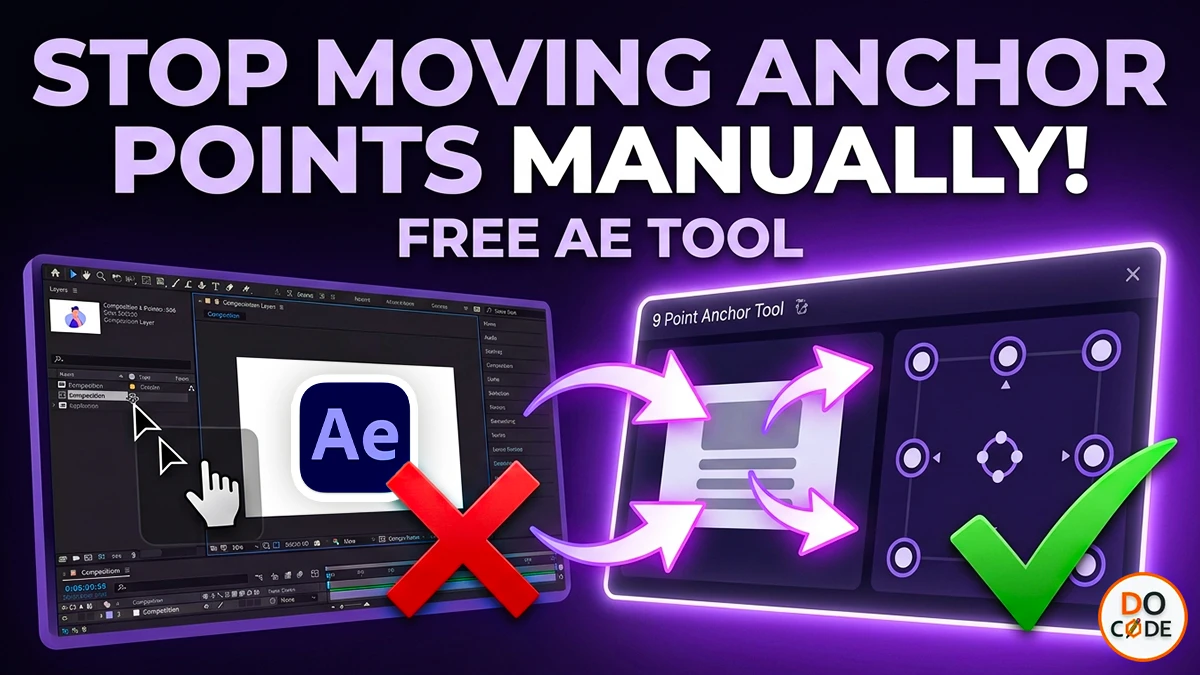
Anchor Tool is a free utility for Adobe After Effects that allows you to instantly move the anchor point of selected layers to any of the 9 standard positions while preserving the layer's visual placement.
This package includes two different versions of the Anchor Tool:
- Anchor Tool Script (Quick and Easy Installation)
- Anchor Tool CEP Extension (Responsive Panel Interface)
You can choose the installation method that best fits your workflow.
Download Anchor Tool
Download the ZIP package from GitHub and extract it on your computer.
LInk :- https://github.com/docode537/after-effects-Anchor-Tool-CEP-Extension
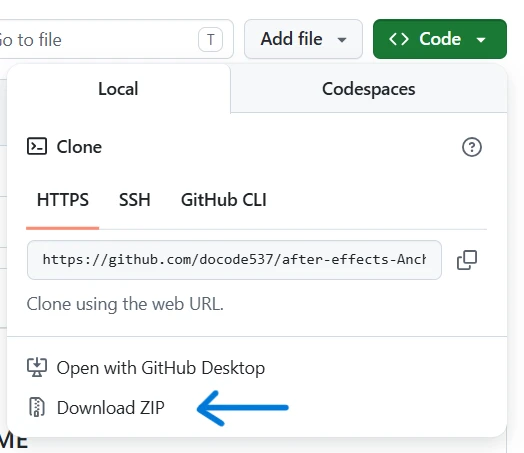
After extracting the ZIP file, you will find the following folders:
Anchor Tool CEP Extension
Anchor Tool Script
Which Version Should You Use?
| Version | Pros | Cons |
|---|---|---|
| Anchor Tool Script | Easy to install, works immediately, no CEP setup required | Panel is not responsive and has limited UI capabilities |
| Anchor Tool CEP Extension | Responsive interface, modern panel, better user experience | Requires CEP setup and configuration |
Method 1: Install Anchor Tool Script (Recommended for Beginners)
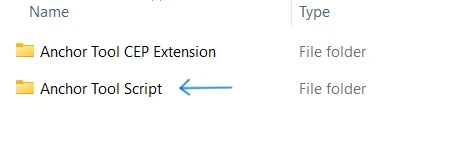
The ScriptUI version is the fastest way to start using the Anchor Tool.
Step 1: Copy the Script File
Open the Anchor Tool Script folder and copy:
AnchorTool.jsx
Paste it into:
C:\Program Files\Adobe\Adobe After Effects <Version>\Support Files\Scripts\ScriptUI Panels\
Step 2: Restart After Effects
Close and reopen Adobe After Effects.
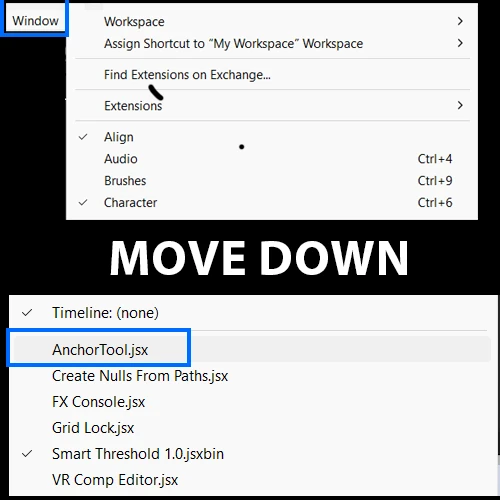
Step 3: Open the Panel
Navigate to:
Window → AnchorTool
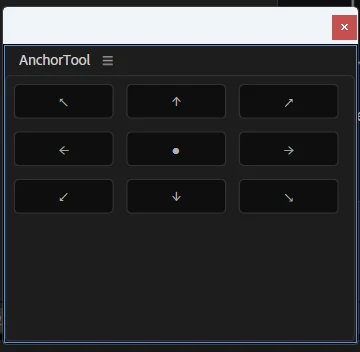
Click AnchorTool to launch the panel.
Features
- Move anchor points to all 9 standard positions.
- Supports multiple selected layers.
- Preserves layer placement.
- Works with text, shapes, footage, and pre-compositions.
Enable Script Permissions
If the script does not run, enable scripting permissions:
Edit → Preferences → Scripting & Expressions
Enable:
Allow Scripts To Write Files And Access Network
Restart After Effects after enabling the option.
Method 2: Install Anchor Tool CEP Extension
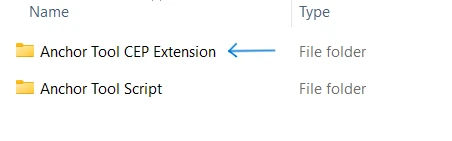
The CEP version provides a responsive panel and a more modern user experience.
Step 1: Download the Correct CSInterface.js Version
Download CEP resources from:
https://github.com/Adobe-CEP/CEP-Resources
Replace:
js/CSInterface.js
with the version matching your After Effects installation.
| After Effects Version | CSInterface.js Version |
|---|---|
| AE 2025 | CEP_12.x |
| AE 2024 | CEP_11.x |
| AE 2020 | CEP_10.x |
Step 2: Update manifest.xml
Open:
CSXS/manifest.xml
Find:
<RequiredRuntime Name="CSXS" Version="11.0"/>
Update the version according to your After Effects installation.
Example:
<RequiredRuntime Name="CSXS" Version="12.0"/>
for After Effects 2025.
Step 3: Enable CEP Debug Mode
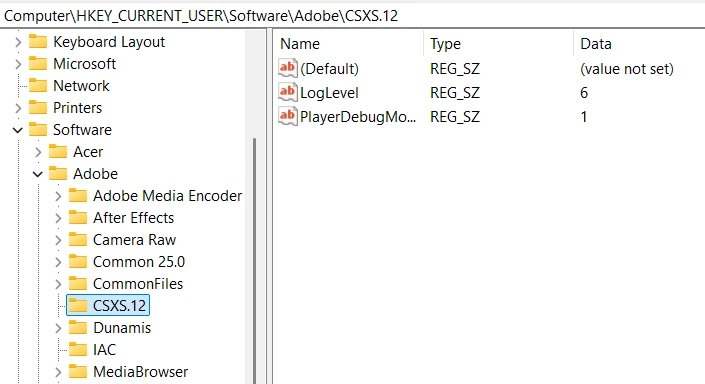
Open Registry Editor and navigate to:
Computer\HKEY_CURRENT_USER\Software\Adobe\CSXS.12
For After Effects 2025.
Create the following String Values if they do not exist:
| Name | Value |
|---|---|
| PlayerDebugMode | 1 |
| LogLevel | 6 |
Step 4: Install the Extension
Copy the entire extension folder into:
C:\Program Files (x86)\Common Files\Adobe\CEP\extensions\
Example:
C:\Program Files (x86)\Common Files\Adobe\CEP\extensions\Anchor Tool CEP Extension
Step 5: Launch the Extension
Restart Adobe After Effects.
Then navigate to:
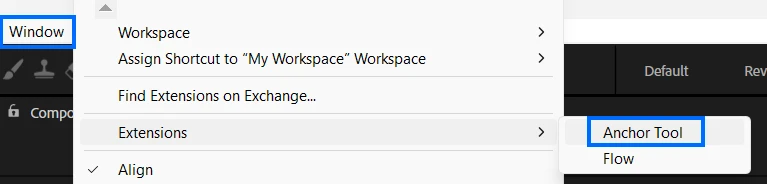
Window → Extensions → Anchor Tool
or
Window → Extensions (Legacy) → Anchor Tool
depending on your After Effects version.
Anchor Tool Features
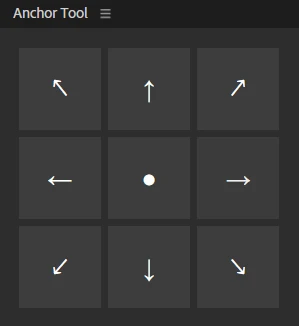
- Top Left Anchor Point
- Top Center Anchor Point
- Top Right Anchor Point
- Center Left Anchor Point
- Center Anchor Point
- Center Right Anchor Point
- Bottom Left Anchor Point
- Bottom Center Anchor Point
- Bottom Right Anchor Point
The tool automatically adjusts the layer position so that moving the anchor point does not visually shift your layer inside the composition.
Compatibility
Tested on:
- Adobe After Effects 2025 (25.2.0 Build 131)
Expected to work on:
- Adobe After Effects 2020 and later
Conclusion
If you want the fastest installation, choose the ScriptUI version. If you prefer a modern and responsive panel interface, choose the CEP Extension version.
Both versions provide the same anchor point functionality and can significantly speed up your After Effects workflow.